
HP Color LaserJet Printer Repair
Call now to schedule your onsite printer service.
We offer same-day availability across Orange County and fast, accurate diagnostics to get your printer back up and running.
📞 (866) 729-9995
💻 Or request service online to reserve your spot.
HP Color LaserJet Printer Repair | Fast Onsite Service
If your HP color laser printer suddenly starts printing streaks, jamming paper, or throwing random errors right when you need it most, you’re not alone. We get these calls every day from offices that rely on their printers to keep business moving.
In most cases, the issue isn’t random. It’s a predictable wear component or a known failure pattern that we can diagnose quickly and fix onsite.
At Printer Repair Orange County, we specialize in HP Color LaserJet Printer Repair for business-class machines. We show up, diagnose the problem, and get you back up and running without the guesswork.
👉 Call us at (866) 729-9995 for same-day onsite service or schedule your $69.99 diagnostic today.
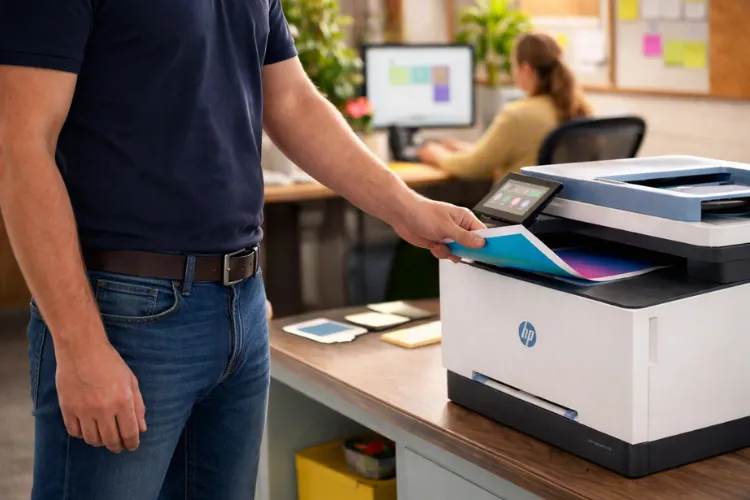
What We Handle. HP Color LaserJet Printer Repair
We work on the issues that actually stop your office from functioning:
- Persistent paper jams (including duplex issues)
- Fuser errors (like 50.x codes)
- Streaks, lines, faded or blotchy prints
- Transfer belt and image defects
- Pickup roller and feed issues
- Maintenance kit replacements
- General HP Color LaserJet Troubleshooting
We don’t just swap parts blindly. We diagnose based on real-world failure patterns we see in the field.
HP Color LaserJet Printer Repair for Print Quality Problems
Fixing Streaky or Faded Output
When a client tells us their prints have lines or color inconsistencies, we immediately narrow it down to a few components:
- Toner cartridge (most common)
- Transfer belt
- Fuser assembly
In many cases, vertical lines tied to one color point directly to that specific toner cartridge. We’ve seen this a lot, especially with aftermarket toner that starts breaking down.
If the issue appears across multiple colors or repeats in patterns, we start looking at the transfer belt or fuser.
Real-World Approach
We at Printer Repair Orange County don’t guess. We print diagnostic pages and match defects to component behavior. That’s how we avoid replacing the wrong part.
How We Handle HP Color LaserJet Troubleshooting
Step-by-Step Diagnosis Process
When we’re onsite, our workflow is pretty consistent:
- Print internal test pages (rules out driver/software issues)
- Inspect toner cartridges and image quality
- Check fuser condition (heat and bonding)
- Evaluate rollers and paper path
- Confirm firmware or driver-related issues if needed
This is the same process we use across models like M477, M479, M750, and enterprise units.
If your printer is:
Jamming constantly, Printing streaks or faded colors, Throwing fuser or error codes
👉 Call (866) 729-9995 and we’ll diagnose it onsite. Most issues can be identified within minutes.
HP Color LaserJet Printer Repair for Paper Jams
How to Troubleshoot Paper Jams in a Multi-Function Color Laser Printer
Paper jams usually come down to mechanical wear, not bad luck.
The most common causes we see:
- Worn pickup rollers (paper not feeding correctly)
- Worn separation pads
- Misaligned paper trays
- Worn exit rollers near the fuser
If the jam happens in the same spot every time, that tells us exactly where to look.
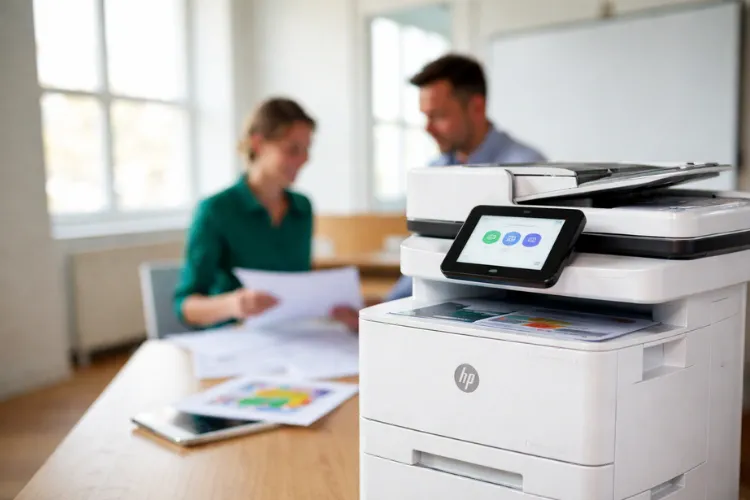
Can You Fix Paper Jam Problems Yourself?
Sometimes, yes.
You can:
- Check paper alignment in the tray
- Remove debris from the paper path
- Replace easily accessible rollers
But once jams become consistent or location-specific, it usually means internal components are worn. That’s where we step in.
Where to Find Reliable HP Color LaserJet Repair Near You
If you’re searching for HP Color LaserJet Repair Near Me, what you actually want is:
- Someone who works onsite (not ship-and-wait)
- Someone familiar with business-class HP models
- Someone who diagnoses before replacing parts
We position ourselves as a local HP-equivalent service provider for Orange County businesses.
We carry common parts or source them quickly through local distributors, so downtime stays minimal.
HP Color LaserJet Service and Maintenance
Why Maintenance Kits Matter
We explain this to clients all the time:
Maintenance kits are like tires on a car.
They wear out. And when they do, everything starts going wrong at once.
A typical maintenance kit includes:
- Fuser assembly
- Pickup rollers
- Feed rollers
Replacing these proactively prevents:
- Paper jams
- Print quality issues
- Unexpected downtime
Call now to schedule your onsite printer service.
We offer same-day availability across Orange County and fast, accurate diagnostics to get your printer back up and running.
📞 (866) 729-9995
💻 Or request service online to reserve your spot.

Is It Worth Repairing or Replacing Your Printer?
We get this question constantly.
Here’s how we look at it:
Repair Makes Sense When:
- The printer is a business-class model
- Parts are available
- Total repair cost is significantly less than replacement
Replacement Makes Sense When:
- It’s a smaller “LaserJet Pro” style unit
- Multiple major components have failed
- Parts are discontinued
We’re honest about this. If it doesn’t make sense to repair, we’ll tell you.
Will the Problem Come Back?
Only if the root cause isn’t addressed.
Example: HP Laserjet Printer Repair
Replacing a fuser without replacing worn rollers can lead to new paper jams shortly after.
We look at the full system, not just the failed part. That’s how we prevent repeat issues.
If your office printer is slowing you down, don’t wait until it completely stops working.
👉 Call Printer Repair Orange County at (866) 729-9995
👉 Same-day service available
👉 $69.99 onsite diagnostic
We’ll tell you exactly what’s wrong and fix it the right way.
FAQ's - Frequently Asked Questions
This usually points to a transfer belt issue or fuser not bonding toner properly.
Typically between 150,000–200,000 pages depending on the model and usage.
Yes, especially with compatibility issues between toner chips and updated firmware.
This often indicates worn duplex rollers or issues near the fuser exit path.
It can be, but quality varies. We only supply lines that we’ve tested in real environments.